
Producers
A Spicetify extension that shows who produced each track, right in the tracklist on album and playlist pages. The data comes from Spotify’s own credits, so there’s no API key or account to set up.
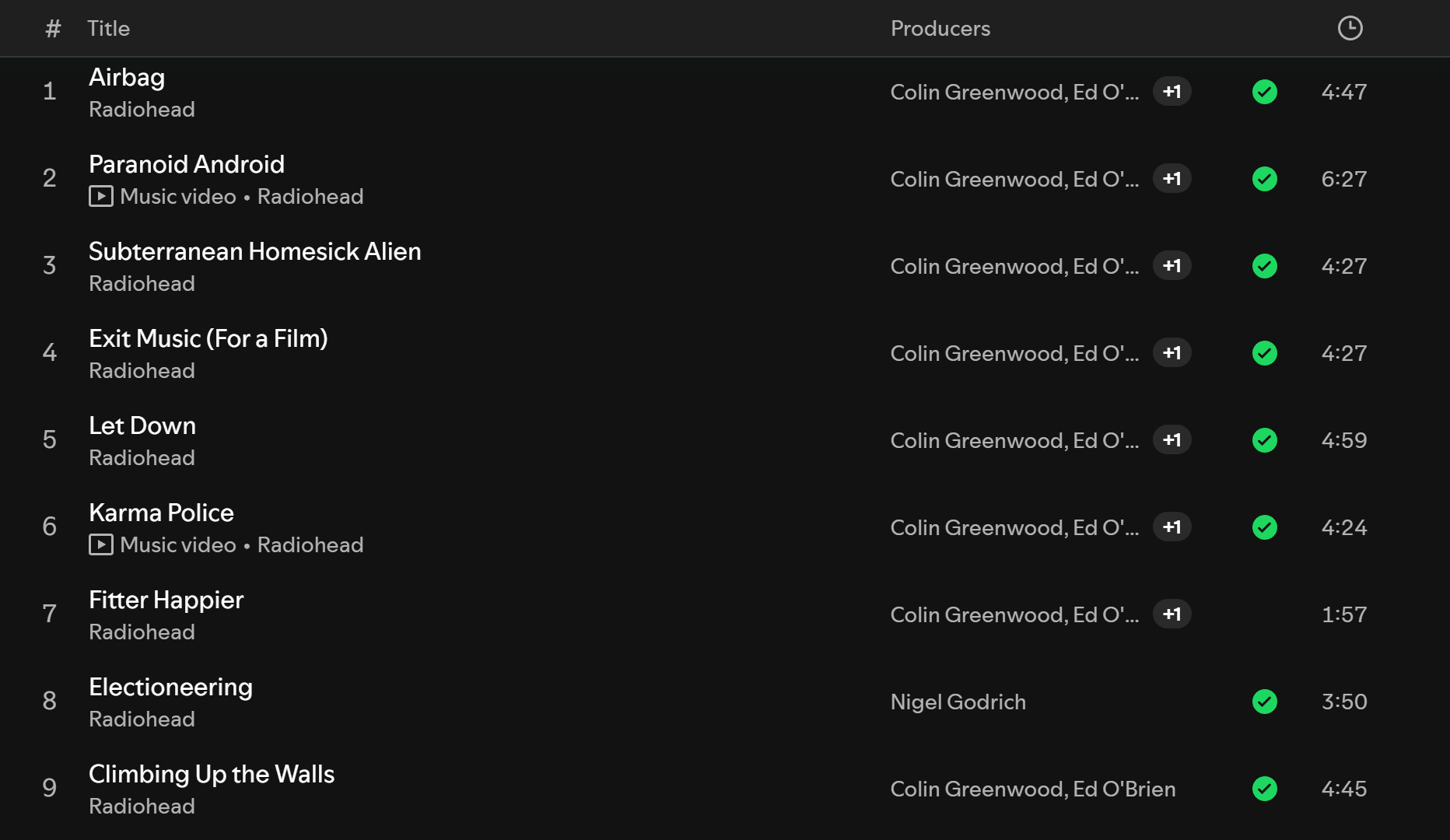
Spotify knows who produced a song: right-click a track and choose View credits. But it only tells you one track at a time, and only when you ask. If you want to know who’s behind the beats on an album, or you like a song and want to find more by the person who made it, that’s a lot of right-clicking. This extension puts the producers next to every track, so you can scan a whole album at a glance and click straight through to a producer’s artist page.
Features
Section titled “Features”- A Producers column on album and playlist pages, next to Spotify’s own columns.
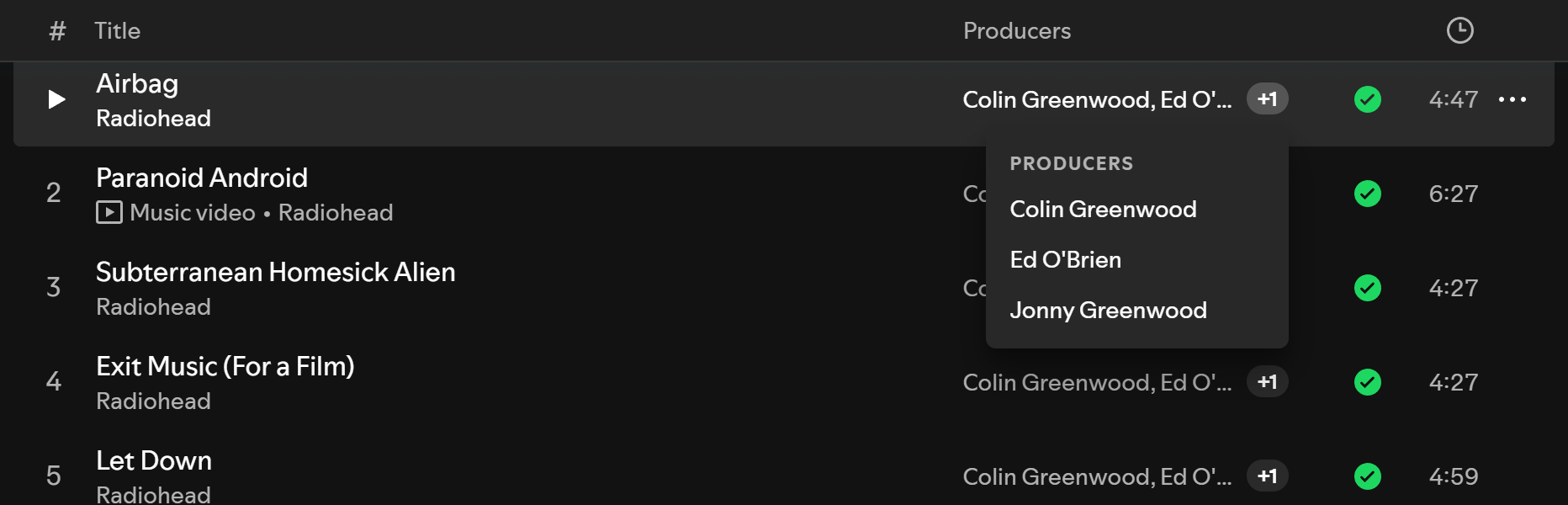
- Up to two names per track, then a +N chip. Hover it (or focus it and press Enter) for the full list, grouped by role.
- Names link to the producer’s Spotify artist page when they have one. Names without a page are plain text.
- Counts Producer, Studio Producer and Co-Producer credits. Executive, vocal and additional producers are left out.
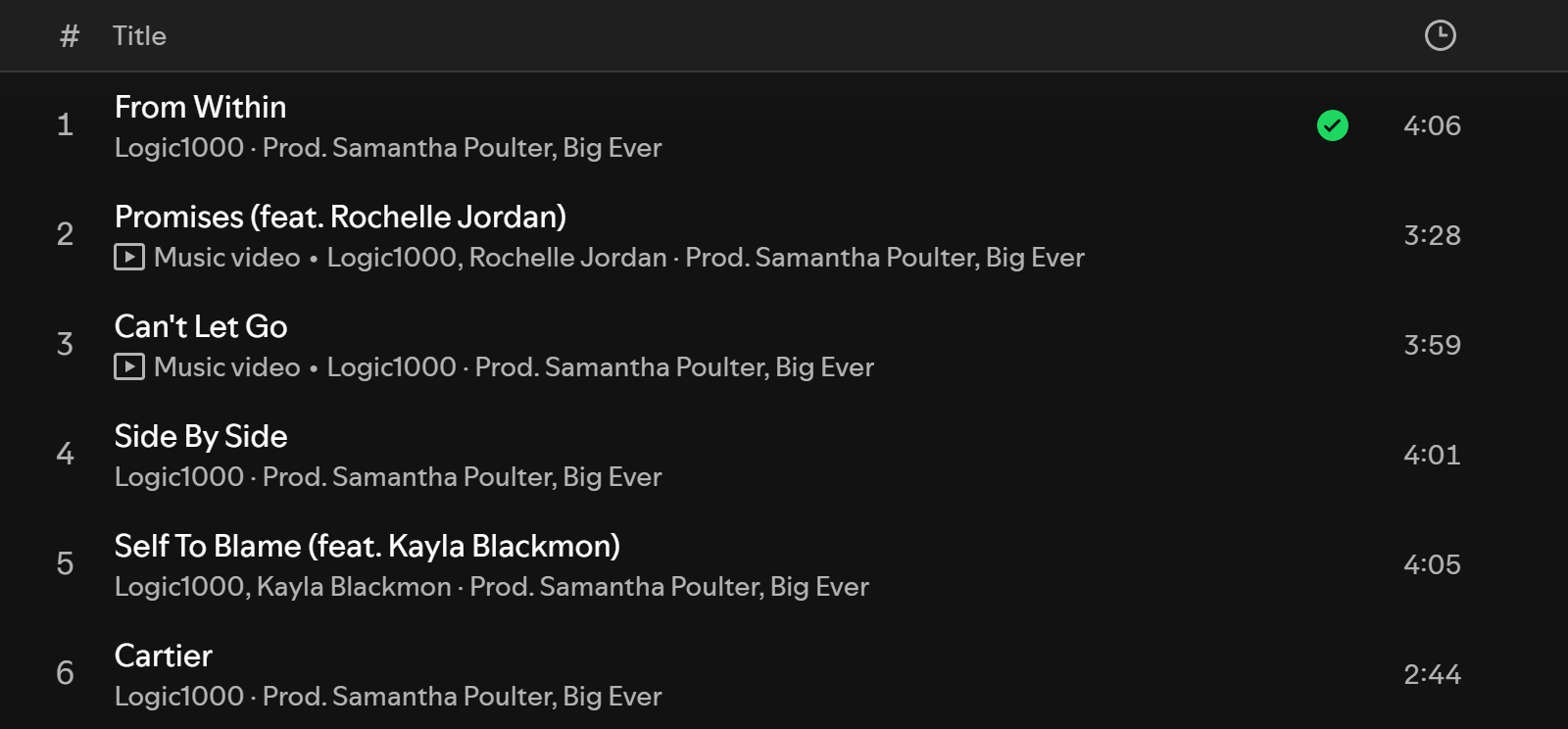
- On narrow windows, where Spotify hides its own columns, the producers move to the grey line under the track title instead (
Artist · Prod. Name). Producers who are already the track’s artist are skipped there, since the space is small. - Turn it on or off per page type from Spotify’s own Columns menu (the List button above the tracklist), or from the profile menu.
- Credits load only for the rows on screen, a few at a time, and are cached for 30 days, so even a 2,000-song playlist doesn’t flood Spotify with requests.
| Full list on hover | Narrow window |
|---|---|
 |
 |
Install
Section titled “Install”Requires Spicetify, installed and applied at least once. The Marketplace route also needs the Spicetify Marketplace custom app.
From Spicetify Marketplace
Section titled “From Spicetify Marketplace”- In Spotify, open Marketplace (the shopping-cart icon at the top left) and stay on the Extensions tab.
- Search for
Producers. If it doesn’t show up, click Load more (» at the bottom of the list) until it does. Marketplace loads extensions in batches and only searches the ones it has loaded. - Hover the Producers card, click its download button, then click Reload now.
Manually
Section titled “Manually”-
Download
producers.js(right-click → Save link as…) into your SpicetifyExtensionsfolder:- Windows:
%APPDATA%\spicetify\Extensions - macOS / Linux:
~/.config/spicetify/Extensions
- Windows:
-
Enable it and apply:
Terminal window spicetify config extensions producers.jsspicetify apply
Settings
Section titled “Settings”There are two switches, Show on album pages and Show on playlist pages, both on by default.
- List menu: click List (or Compact) above any album or playlist tracklist. Under Producers, Show producers switches the page type you’re on. Where Spotify shows a Columns section in that menu, it appears there as a Producers checkbox instead.
- Profile menu: click your avatar (top right) and choose Producers. On some Spotify versions (1.3.3, for one) Spicetify can’t add entries to this menu for any extension, so the List menu is the dependable way in.
Good to know
Section titled “Good to know”- “—” means Spotify has no producer credit for that track. That’s common for solo electronic and ambient artists, whose credits often list only the artist and the composer. In a sample of 40 tracks, 58% had a producer credit.
- “?” means the credits couldn’t be loaded, for example during a network drop. It retries on its own once requests start working again. Hover any “—” or “?” for a short explanation.
- Credits are Spotify’s. If a name is missing or wrong, it’s missing or wrong in View credits too.
- Spotify in another language: Spotify sends role names as display text. The extension matches the English names, so it may show “—” everywhere if Spotify’s language isn’t English. Please open an issue if that happens to you.
- Tested on Spotify 1.3.3 with Spicetify 2.45.
How it works
Section titled “How it works”When you open an album or playlist, the extension loads its track list once (getAlbum for albums, PlaylistAPI.getContents for playlists) and matches each row on screen to a track by its title and duration. That’s because Spotify’s tracklist rows don’t expose a track ID. For each matched row it asks Spotify for the track’s credits using the same GraphQL query the View credits dialog uses (queryTrackCreditsGroupedModal), and keeps the producer roles.
Requests run four at a time and at most 120 a minute. If Spotify starts refusing them, the whole queue backs off and retries later. Rows that scroll away before their turn are skipped. Results, including “no producers”, are cached in Spicetify.LocalStorage for 30 days.
The column itself is added by extending Spotify’s grid template with a [producers] track before the duration, so it lines up with Spotify’s header and its own columns.
License
Section titled “License”MIT — see LICENSE.
Independent project. Not affiliated with or endorsed by Spotify or Spicetify.